Tools
News Board
An Unreal Engine editor plugin for sharing project updates directly inside the editor.
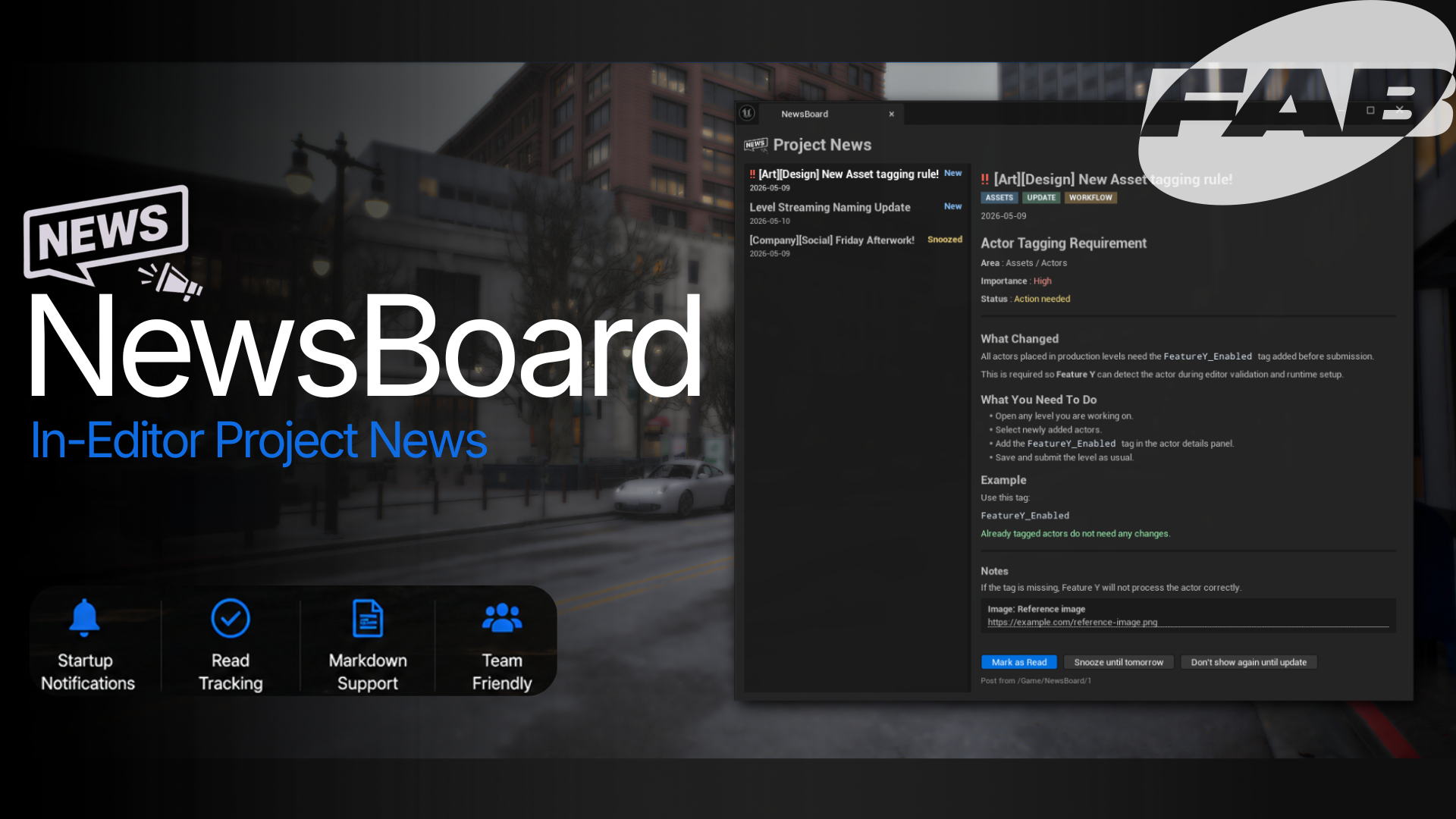
News Board
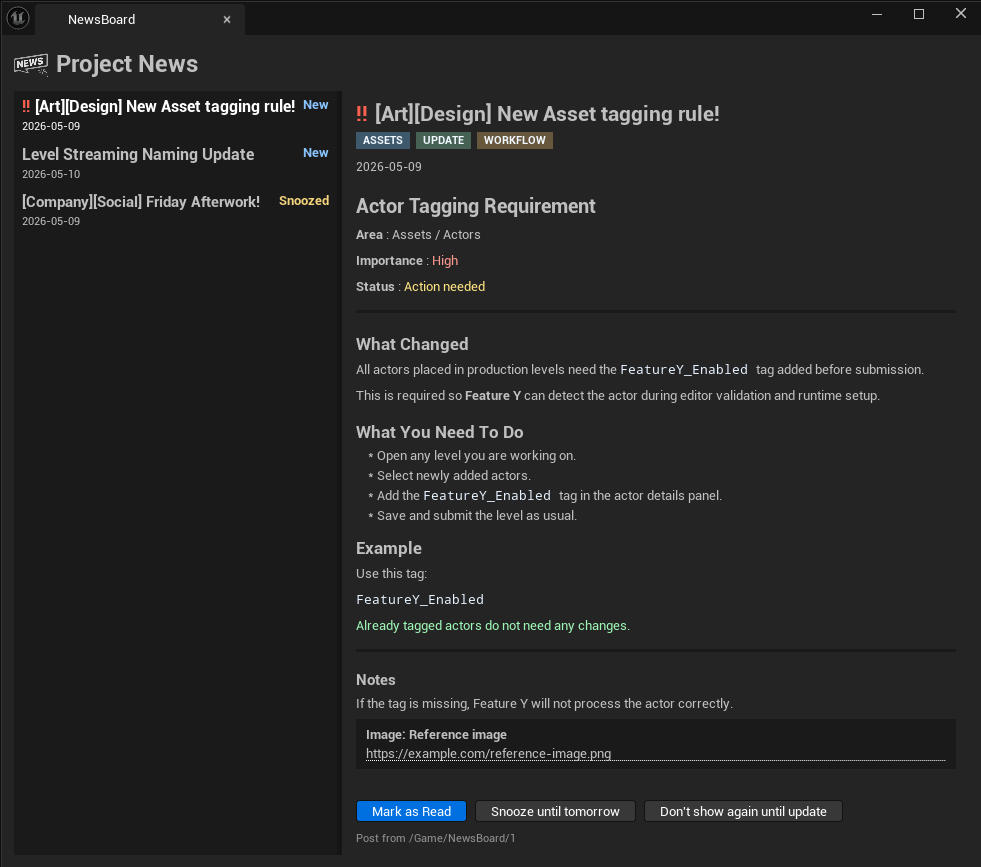
News Board is an Unreal Engine editor plugin for sharing project updates directly inside the editor. It gives teams a central Project News window for production notes, workflow changes, release reminders, and other project-wide messages that are easy to miss in chat.
Updates can be written as Unreal NewsBoardAsset data assets or as simple .md / .txt files in the project Content folder. Each user gets their own read state, so marking a post as read, snoozing it, or hiding it until the next update does not affect anyone else.
Main Features
- Project News window inside Unreal Editor.
- Startup popup when unread updates exist.
- Manual access from the NewsBoard toolbar button.
- Updates from
NewsBoardAssetdata assets. - Updates from
.mdand.txtfiles. - Per-user read, unread, snooze, and dismiss state.
- Tags, status labels, and lightweight markdown-style body formatting.
Setup
Install the plugin from Fab, enable it in Unreal Engine 5.7, and restart the editor.
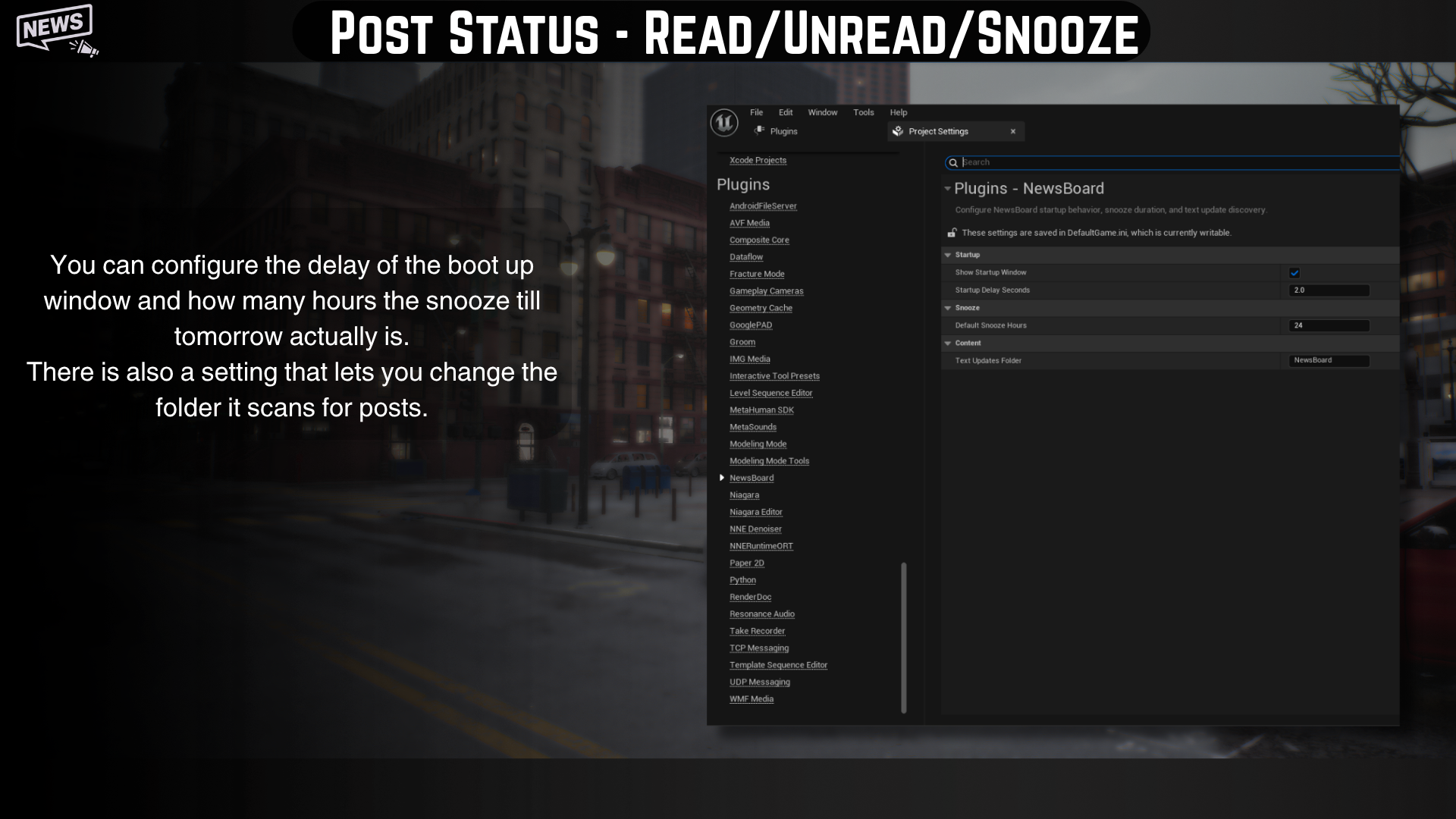
Settings are available from:
Project Settings -> Plugins -> NewsBoard
By default, markdown/text updates are read from:
Content/NewsBoard
This folder can be changed in the plugin settings.
Creating Updates
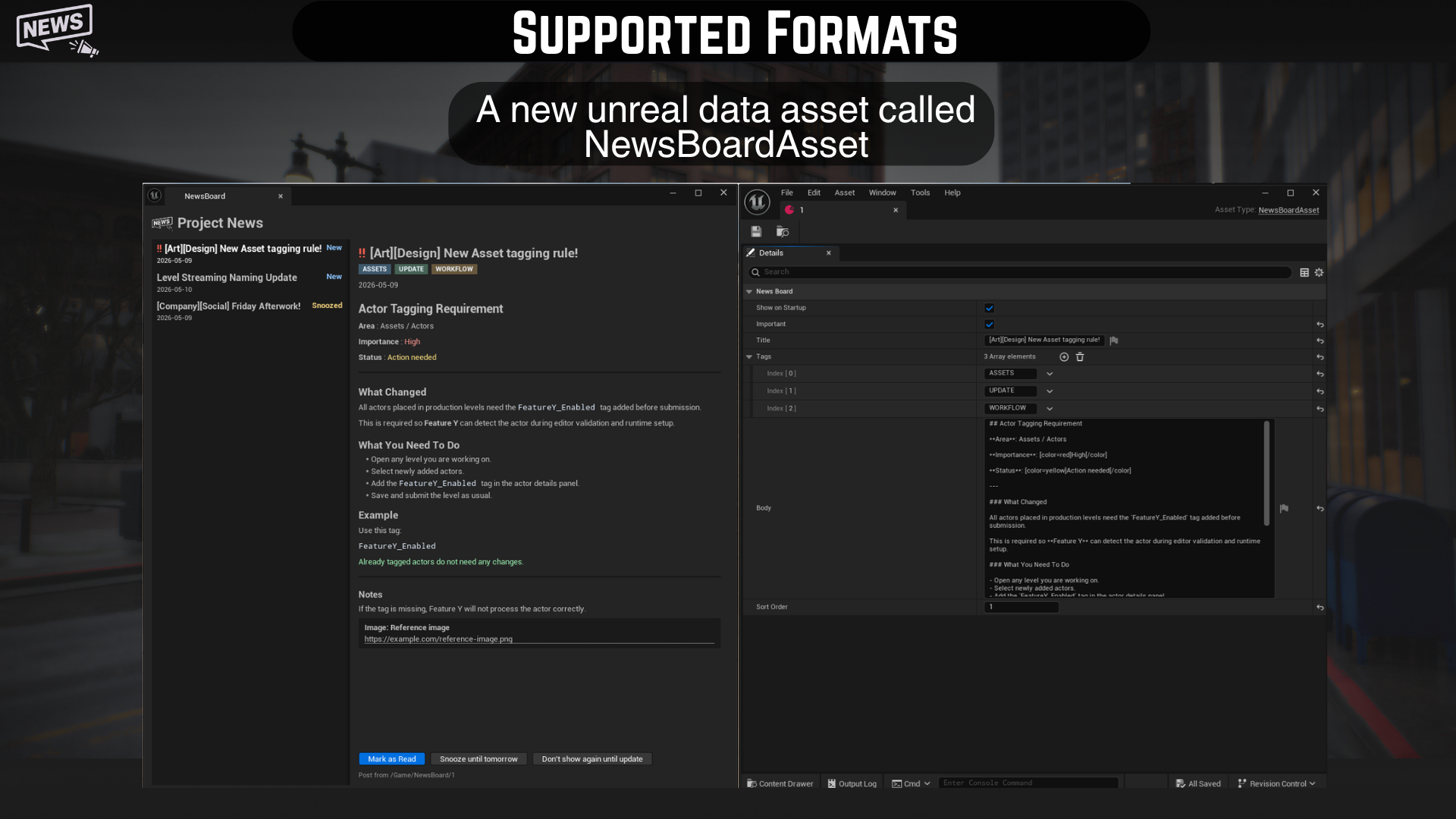
NewsBoard Asset
Use a NewsBoardAsset when you want the update to live as an Unreal asset.
- Create a new Data Asset in the Content Browser.
- Choose
NewsBoardAsset. - Fill in
Title,Tags,Body,Show On Startup, and optionalSort Order. - Save the asset.
Markdown or Text File
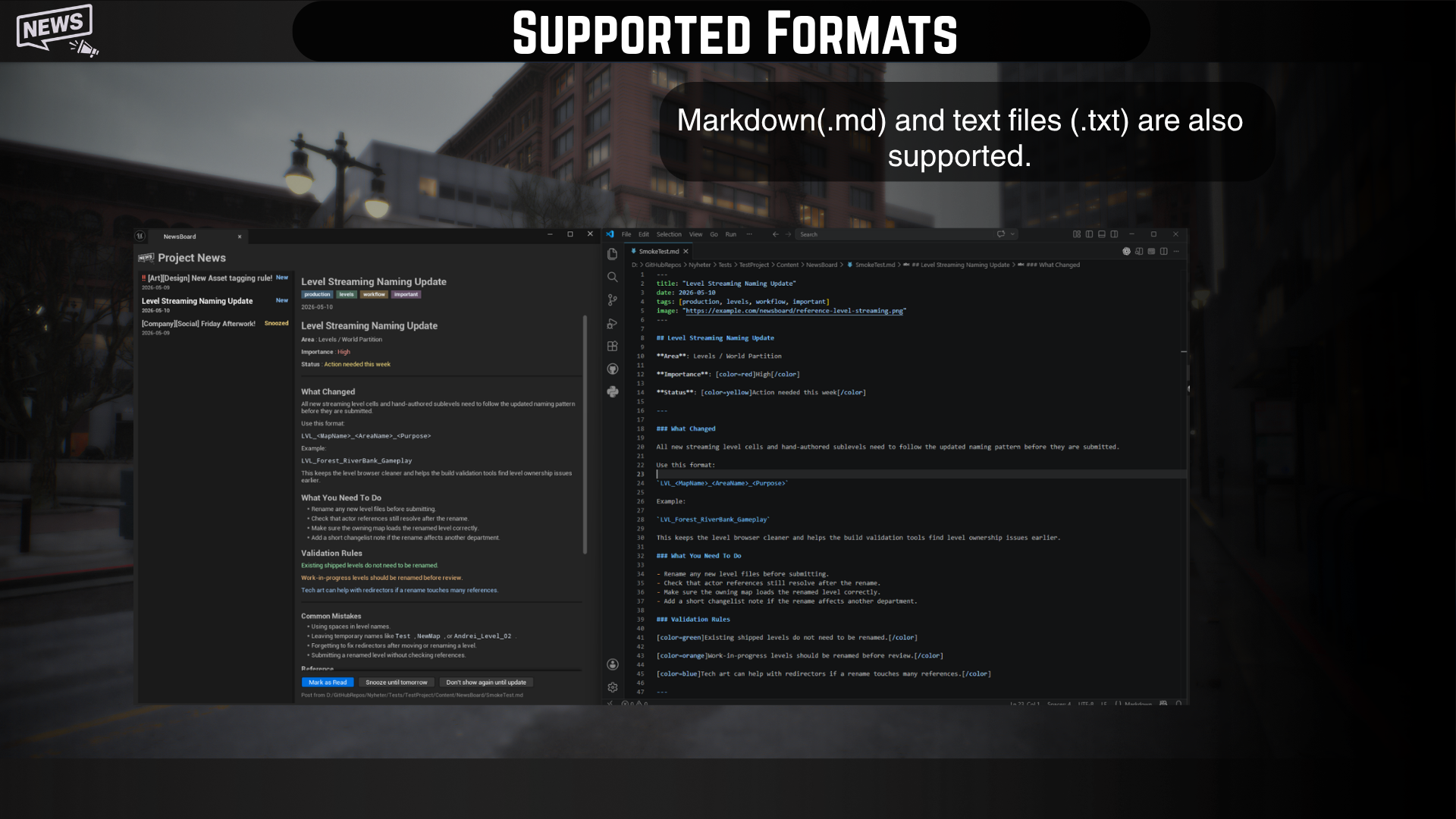
Use .md or .txt files when updates are easier to edit outside Unreal.
Markdown files can include front matter:
---
title: "Asset Update"
date: 2026-05-09
tags: [production, workflow, assets]
---

## Asset Update

Your update text here.
Supported front matter:
titledatetagsimageas a URL reference only
Supported Body Formatting
News Board supports a small markdown-style subset for update posts:
## Actor Tagging Requirement
**Area**: Assets / Actors
**Importance**: [color=red]High[/color]
**Status**: [color=yellow]Action needed[/color]
---
### What Changed
All actors placed in production levels need the `FeatureY_Enabled` tag added before submission.
This is required so **Feature Y** can detect the actor during editor validation and runtime setup.
### What You Need To Do
- Open any level you are working on.
- Select newly added actors.
- Add the `FeatureY_Enabled` tag in the actor details panel.
- Save and submit the level as usual.
### Example
Use this tag:
`FeatureY_Enabled`
[color=green]Already tagged actors do not need any changes.[/color]
---
#### Notes
If the tag is missing, Feature Y will not process the actor correctly.

Supported syntax:
##,###,####for section headings.---for a horizontal rule.-for bullet lines.**bold**,*italic*, and`inline code`.[color=red]text[/color],[color=yellow]text[/color],[color=green]text[/color],[color=blue]text[/color],[color=orange]text[/color].- Markdown image syntax is shown as a URL/reference block. Images are not rendered in the window.
Read And Snooze Behavior
News Board tracks read state per user in Unreal’s per-project user settings.
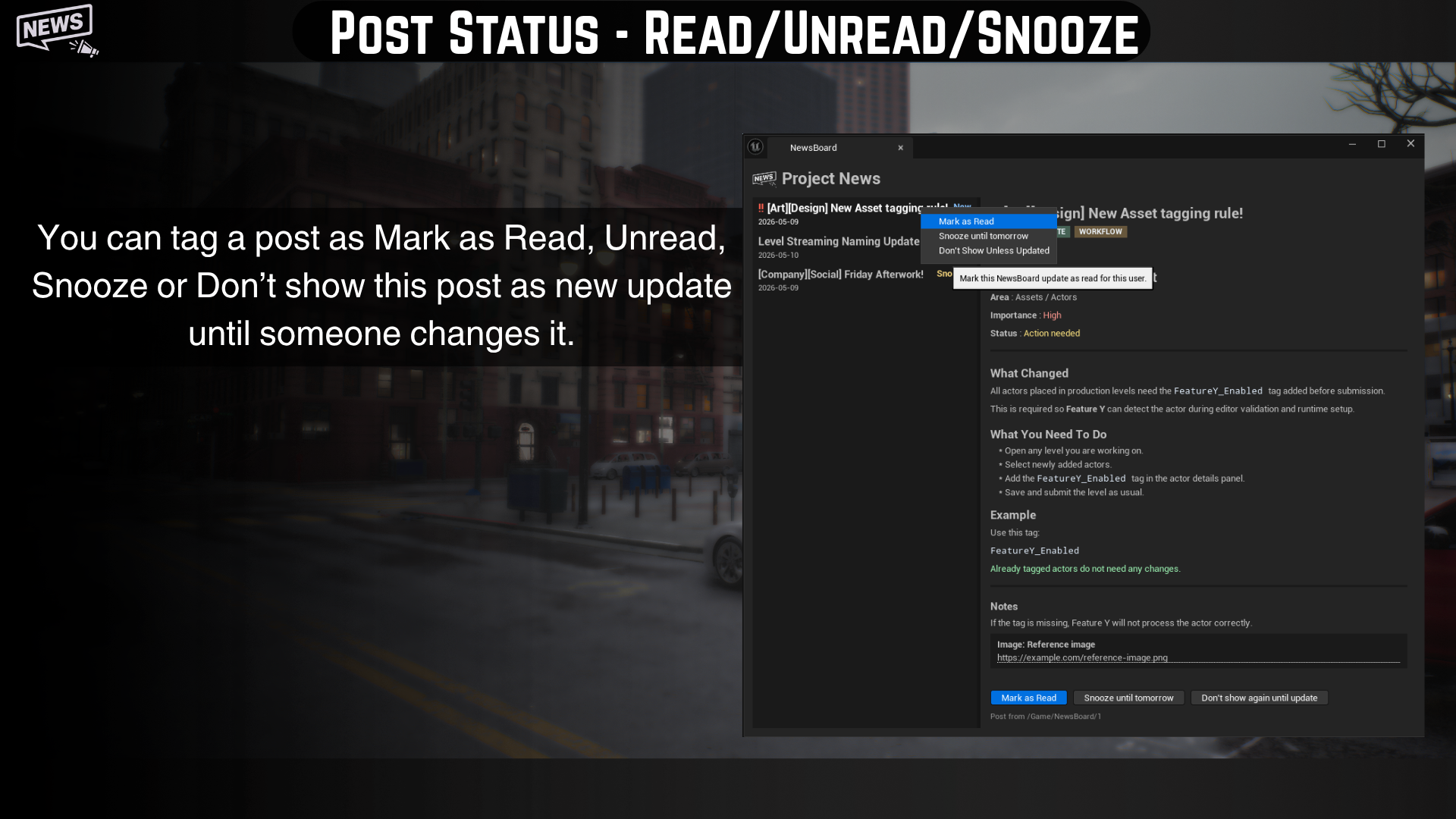
New: the current user has not read the update.Read: the update will not trigger startup for that user.Snoozed: the update is hidden from startup until the snooze time expires.Don't show again until update: the update stays hidden until its content changes.
The startup popup appears only when at least one unread update has Show On Startup enabled. If all updates are read, snoozed, or dismissed, the window does not open automatically.
Settings you have acess to
Notes
- Per-user state is local and is not submitted to Perforce or saved into shared project content.
- Changing an update’s title, body, tags, or markdown front matter can make it appear as new again.
- Images are not rendered directly in the Project News window.
- The window does not currently auto-refresh while already open if files are edited on disk.