Tools
Asset Status Overlay
Visual asset status tracking for Unreal Engine, with thumbnail overlays, viewport visualization, invalid-use warnings, and a project dashboard.
Asset Status Overlay
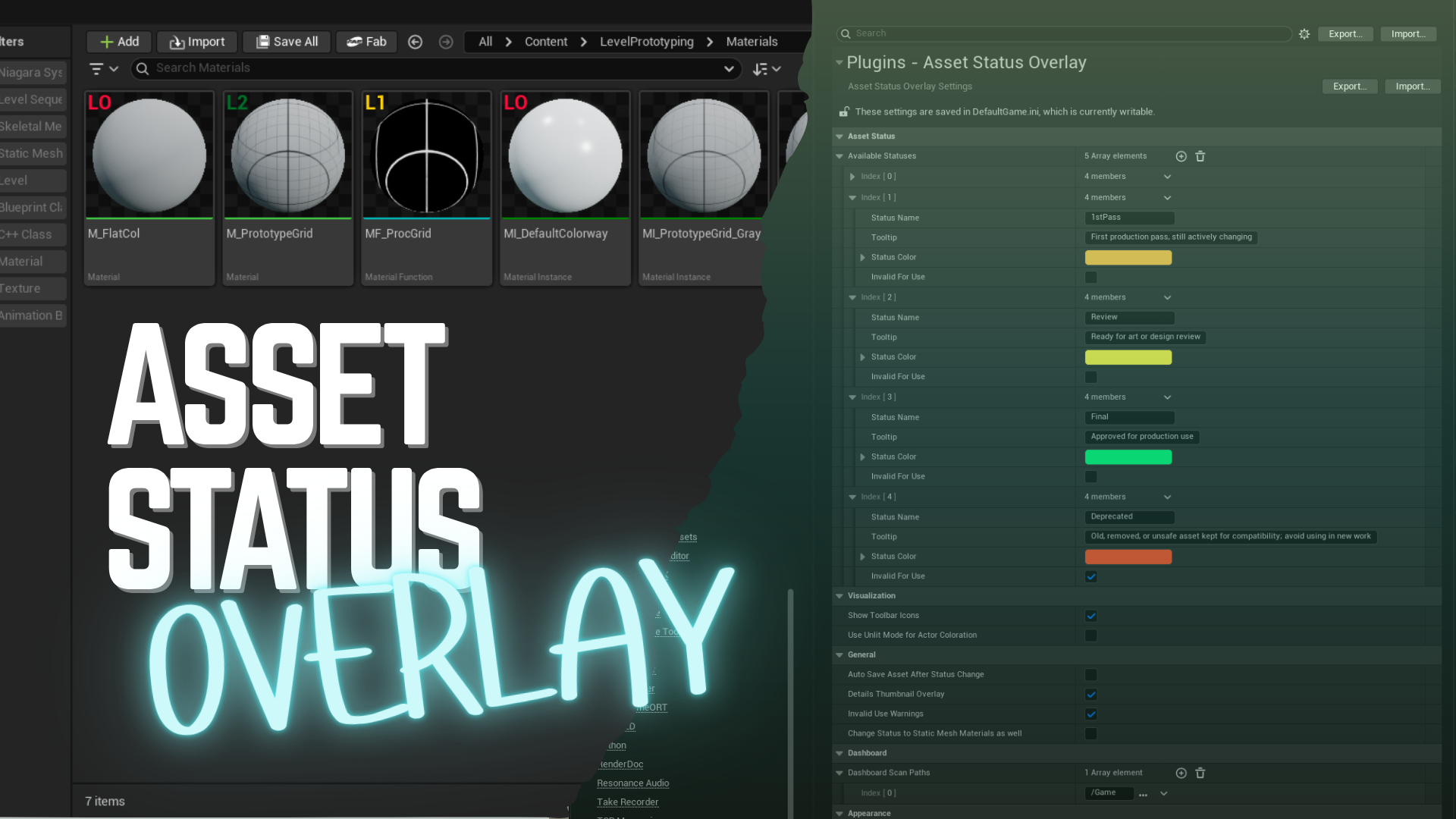
Asset Status Overlay is an Unreal Editor plugin for keeping asset status visible while you work.
It started from a very practical production need: sometimes an asset looks usable, but it is actually a test, work in progress, deprecated, cut from production, not approved yet, or unsafe from a performance point of view.
Instead of relying on folder names, memory, or external trackers, the plugin lets you tag assets and see that status directly in the Content Browser, Details thumbnails, the viewport, and a dashboard.
Status information can show up:
- in the Content Browser
- in Details panel thumbnails
- in the level viewport
- when an unsafe asset is placed
- in a dashboard that summarizes and filters asset status
The goal is simple: make it easier to know what is safe to use before it lands in a level.
https://vimeo.com/1195047193?share=copy&fl=sv&fe=ci
Features
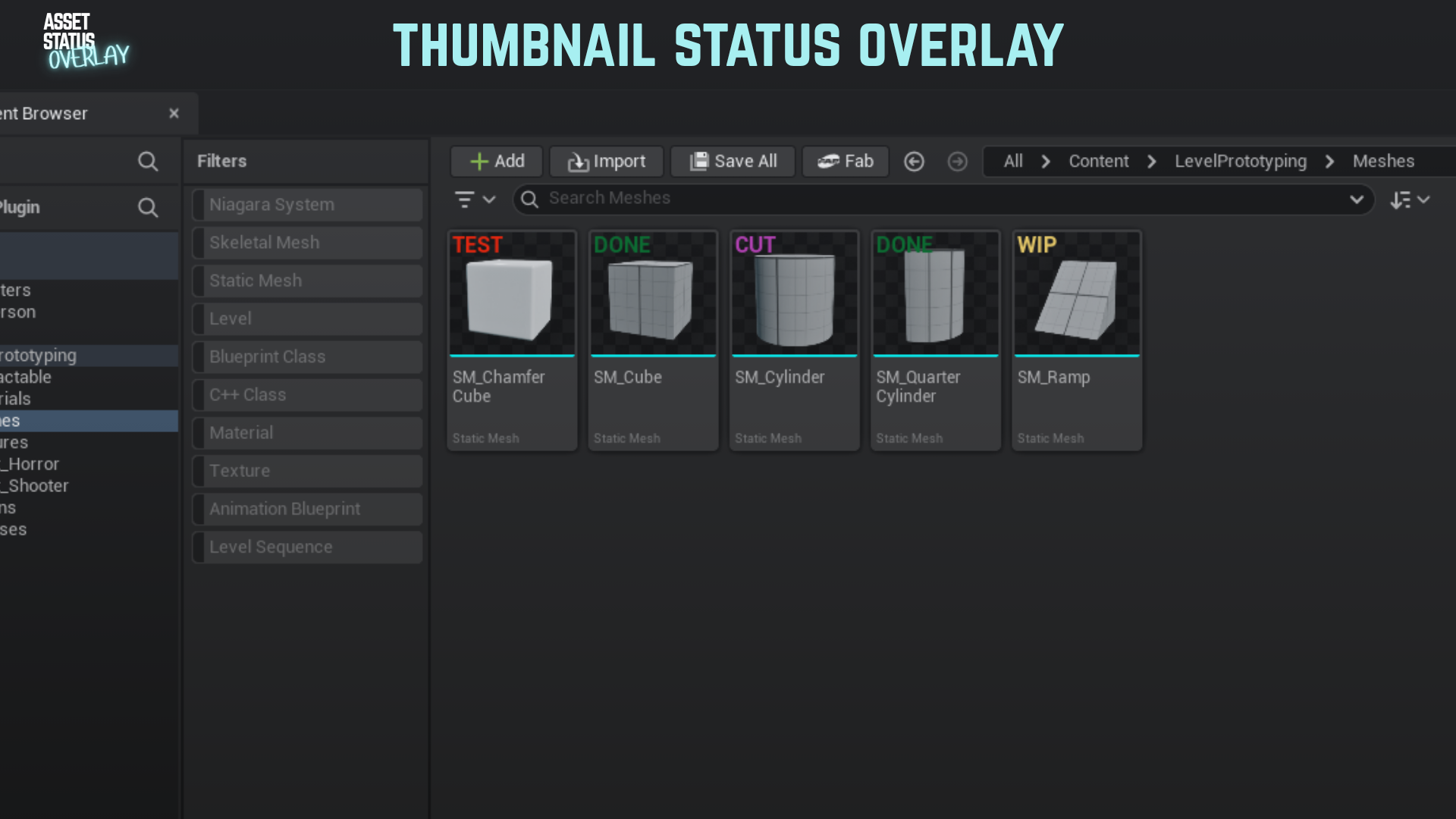
Thumbnail Overlay
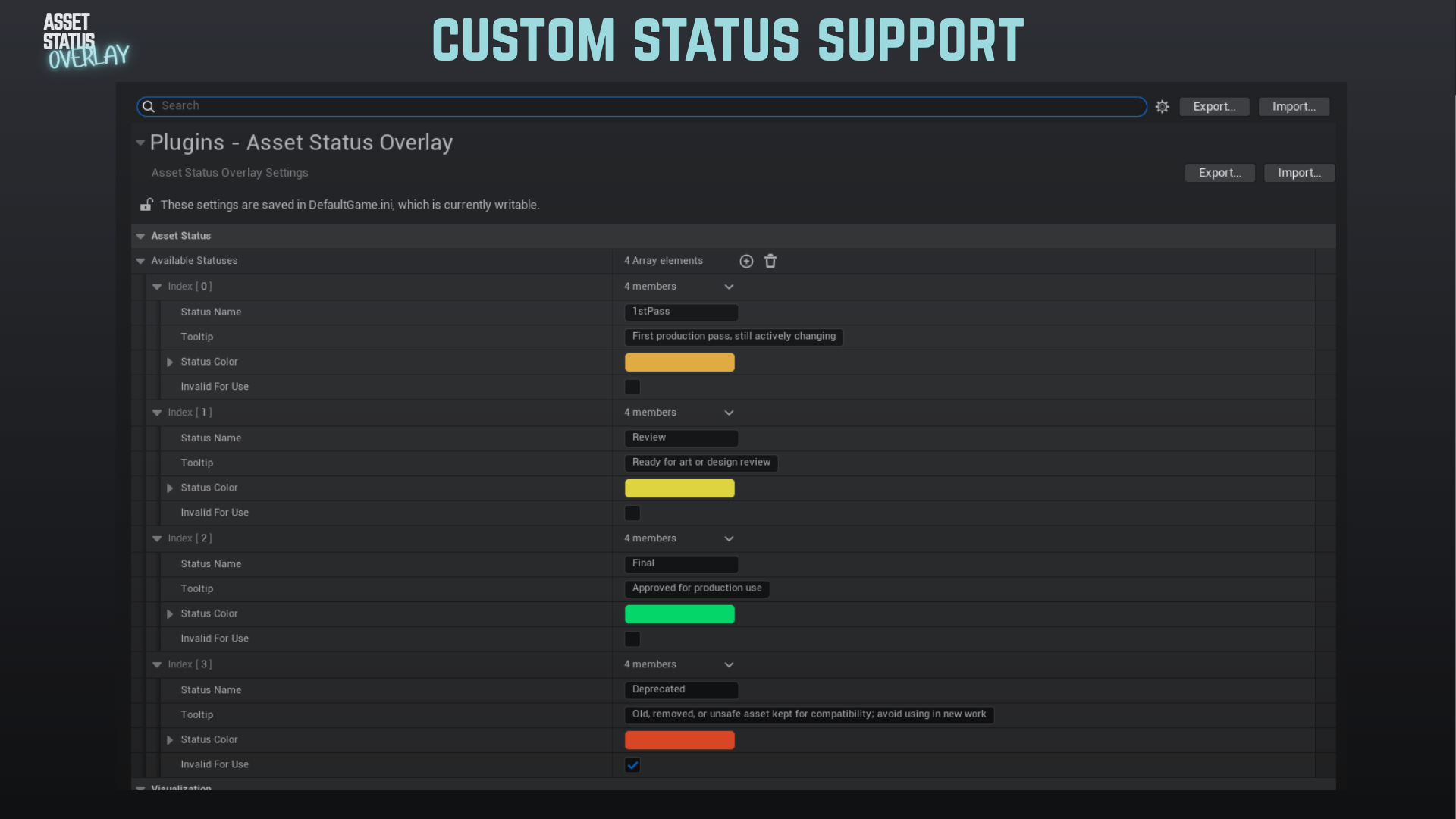
- Customizable status labels and colors
- Status labels directly on Content Browser thumbnails
- Optional Details panel thumbnail overlays
- Configurable overlay font size
Metadata and Status Management
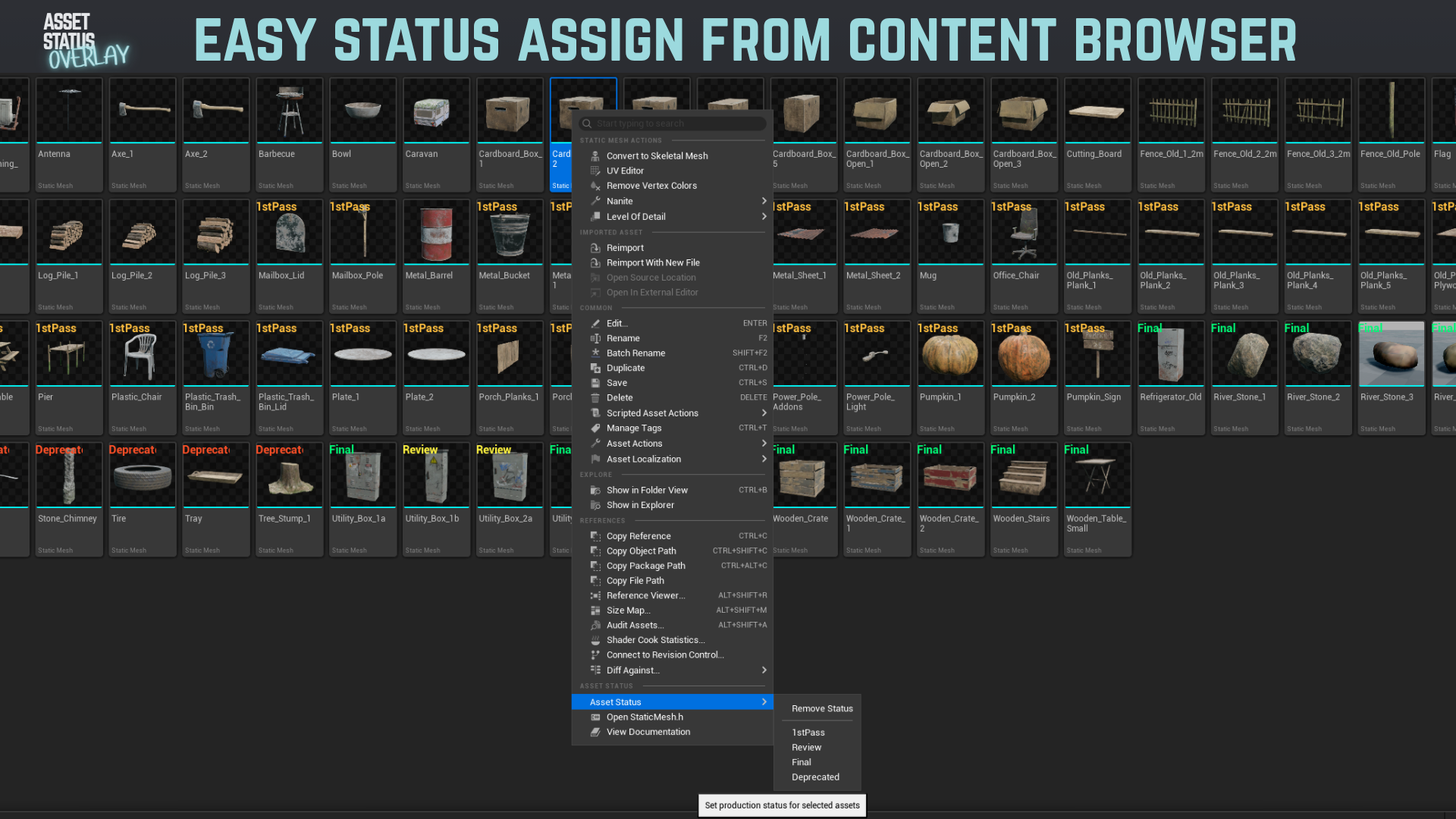
- Status persistence via the
AssetStatusmetadata tag - Quick status assignment from the Content Browser context menu
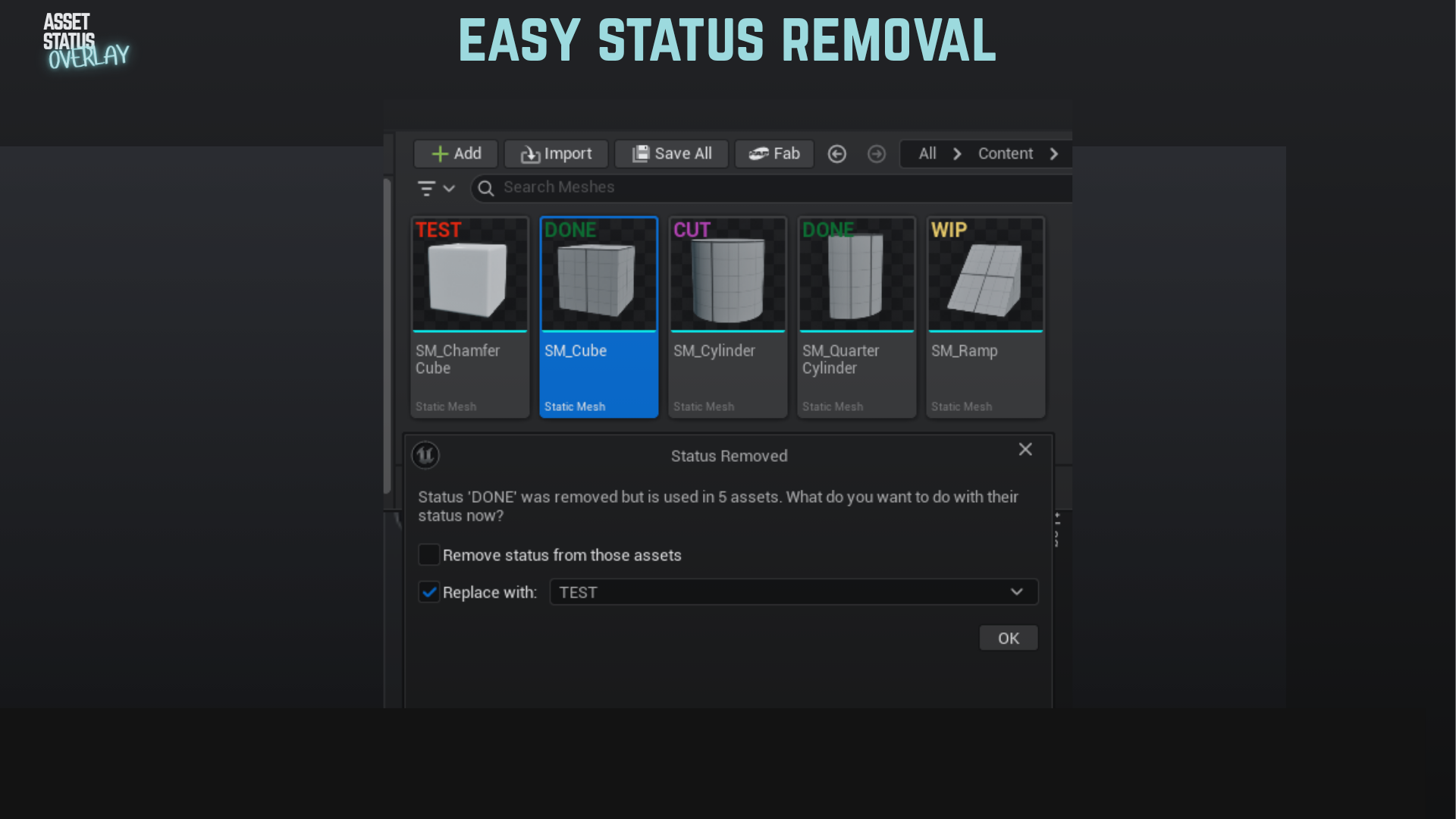
- Bulk assign or remove status
- Quick status removal from context menus
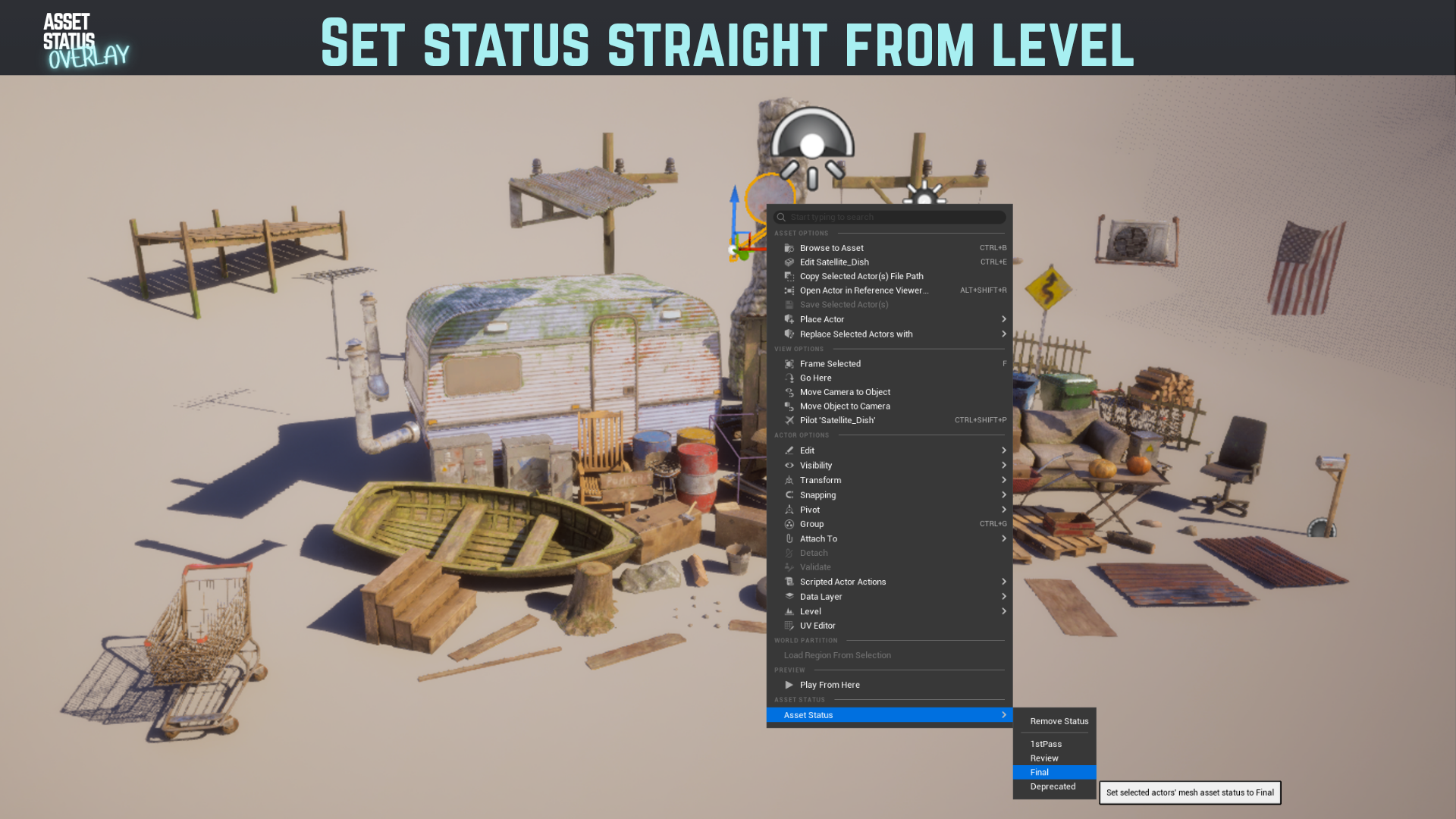
- Assign status from selected actors in the level
- Optional auto-save after status changes
- Optional dependency status changes for static mesh materials
Level Visualization
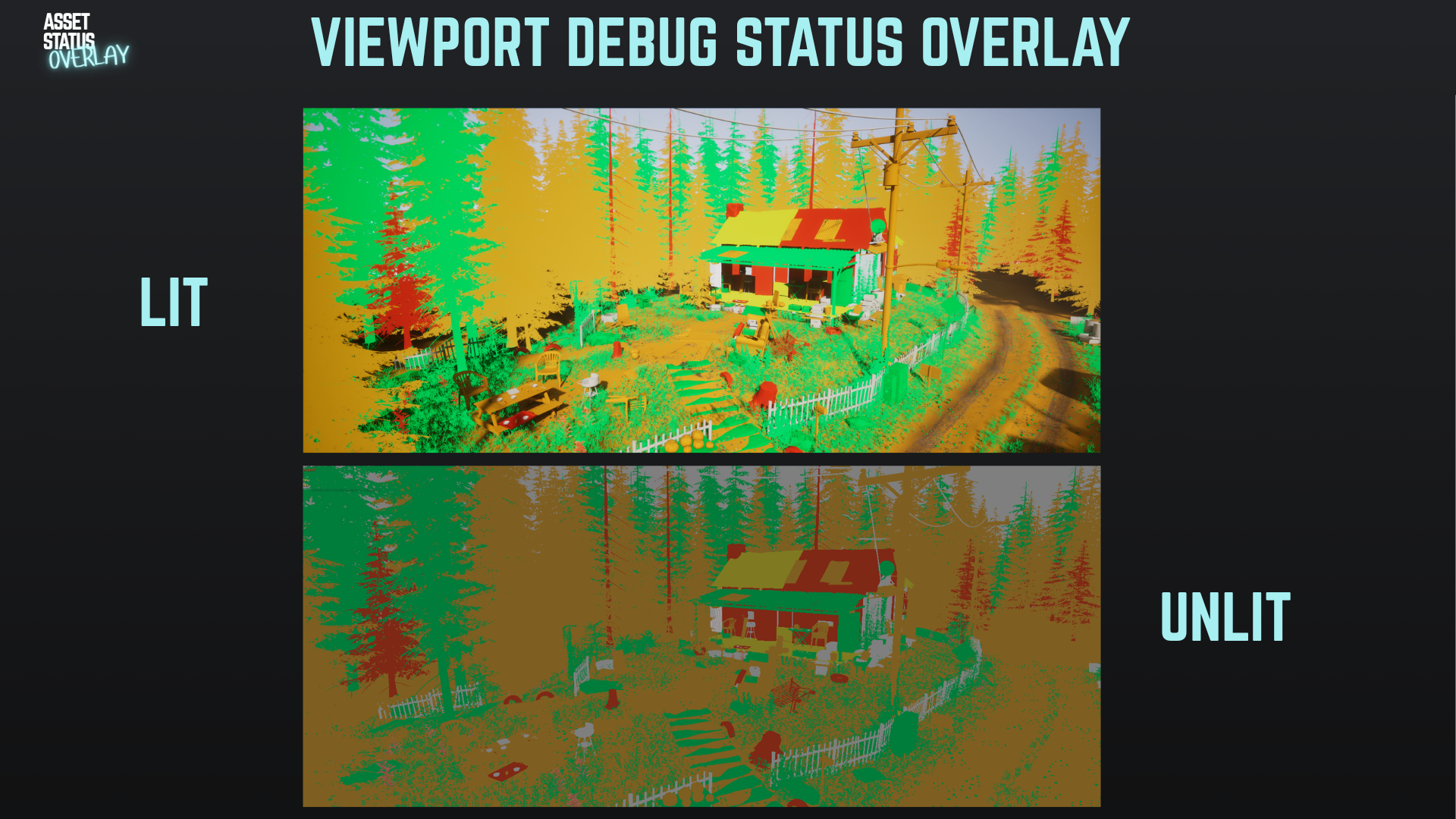
- Mesh asset status visualization in the viewport
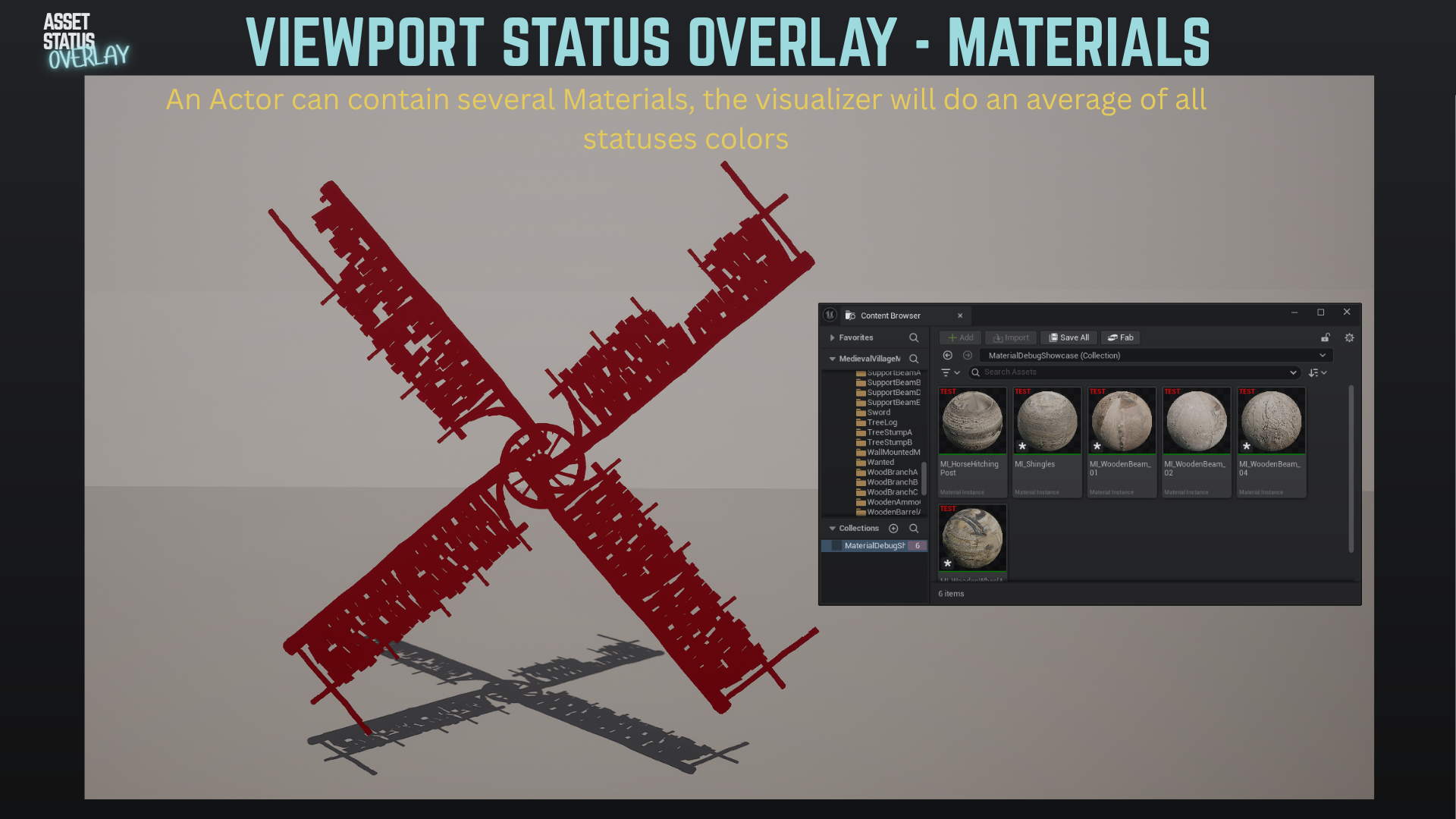
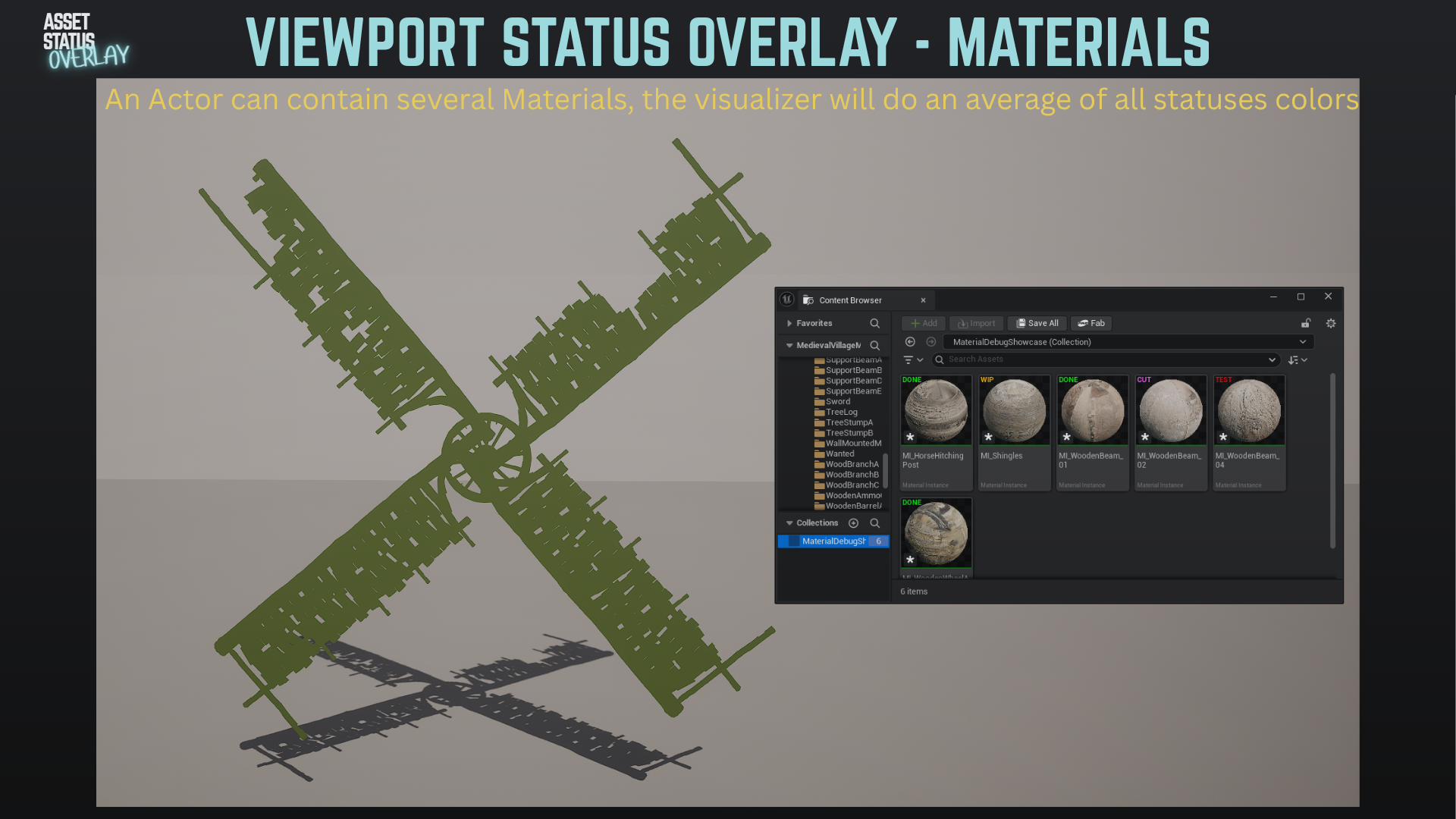
- Material asset status visualization in the viewport
- Optional Lit or Unlit visualization mode
- Viewport visualization refreshes after status changes
- Material visualization averages all unique material statuses on a mesh
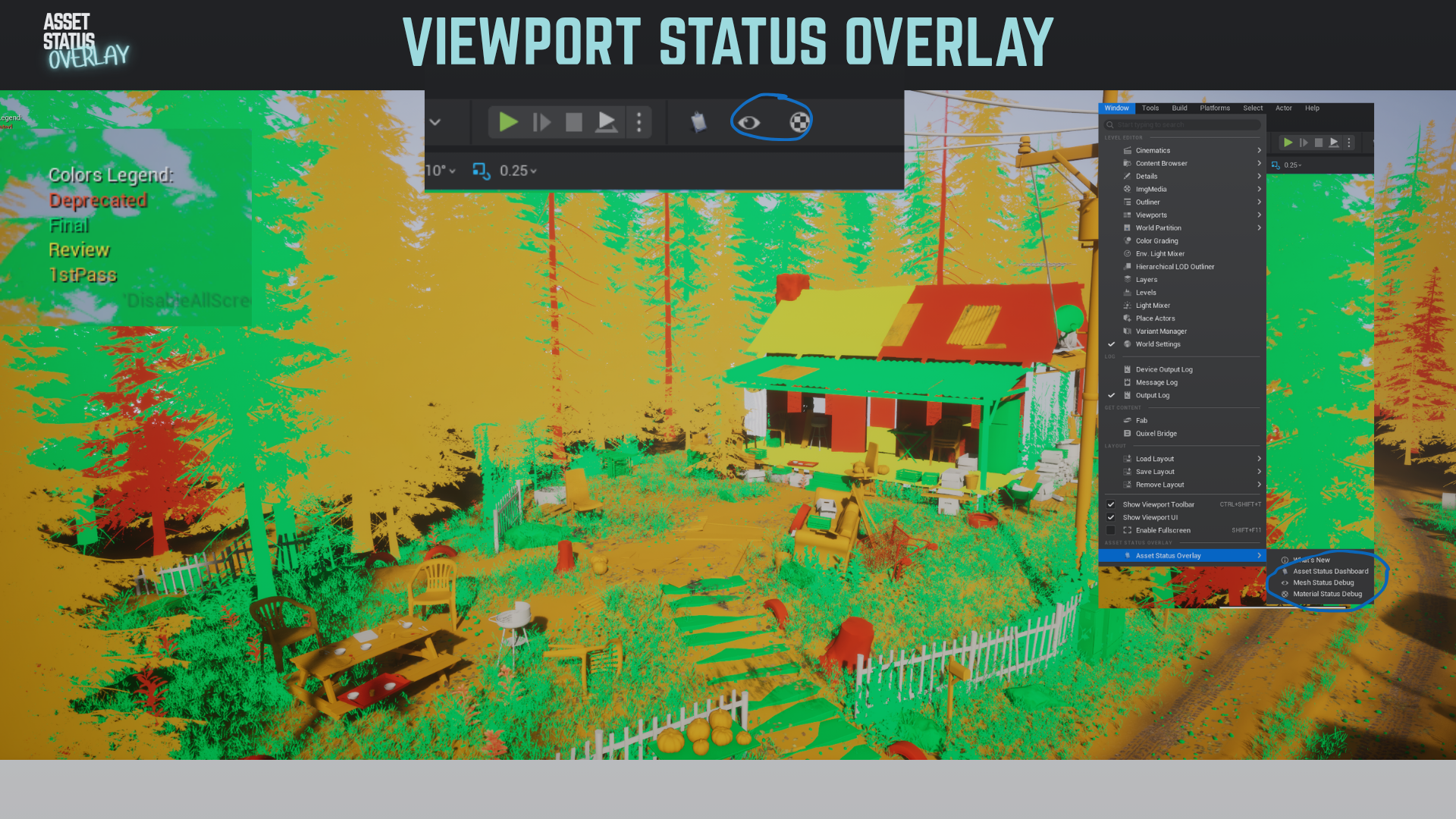
For mesh visualization, actors are colored by the status of the placed mesh asset.
For material visualization, meshes with multiple tagged materials display an average of those material status colors.
Invalid For Use
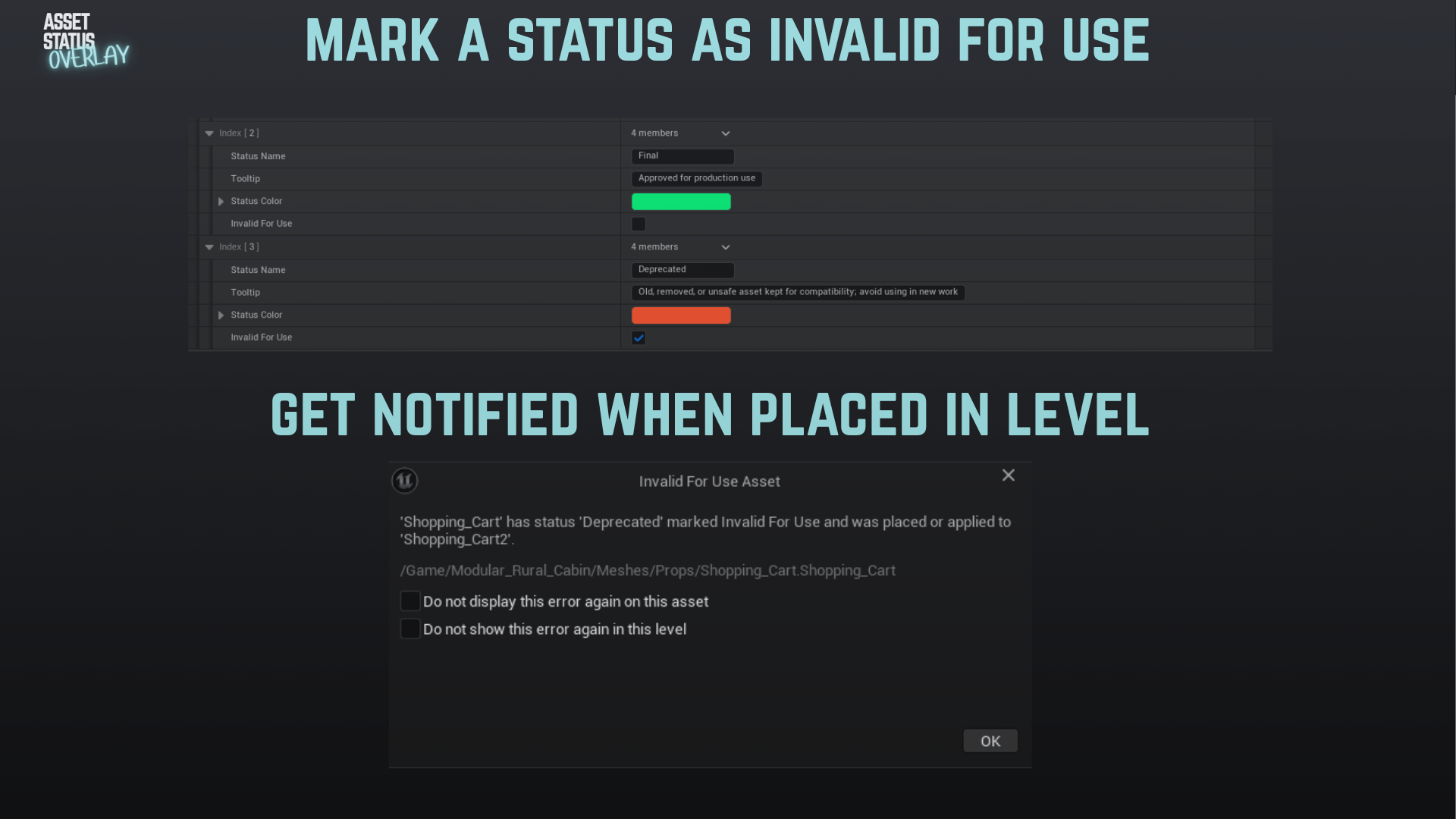
Statuses can be marked as Invalid For Use.
This is useful for assets that are deprecated, test-only, cut from production, not legally approved, unsafe for performance, or otherwise should not be placed in a level.
- Optional warning popup when an Invalid For Use asset is placed
- Per-asset suppression
- Per-level suppression
- Current-level scans for invalid assets already present in the map
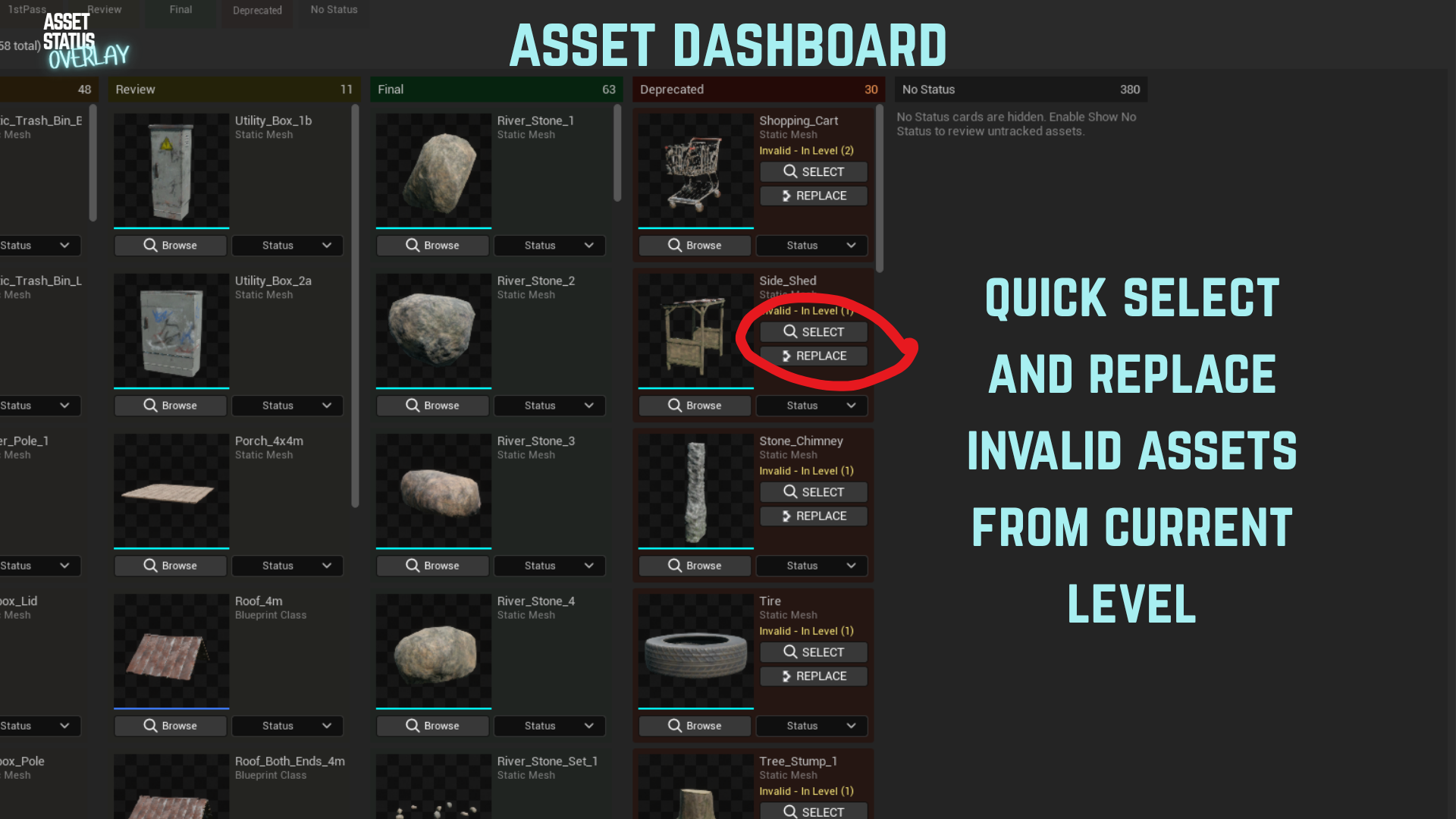
- Invalid assets are highlighted in the dashboard when they are used in the current level
- Dashboard actions can select or replace matching actors in the level
https://vimeo.com/1195036762?share=copy&fl=sv&fe=ci
Dashboard
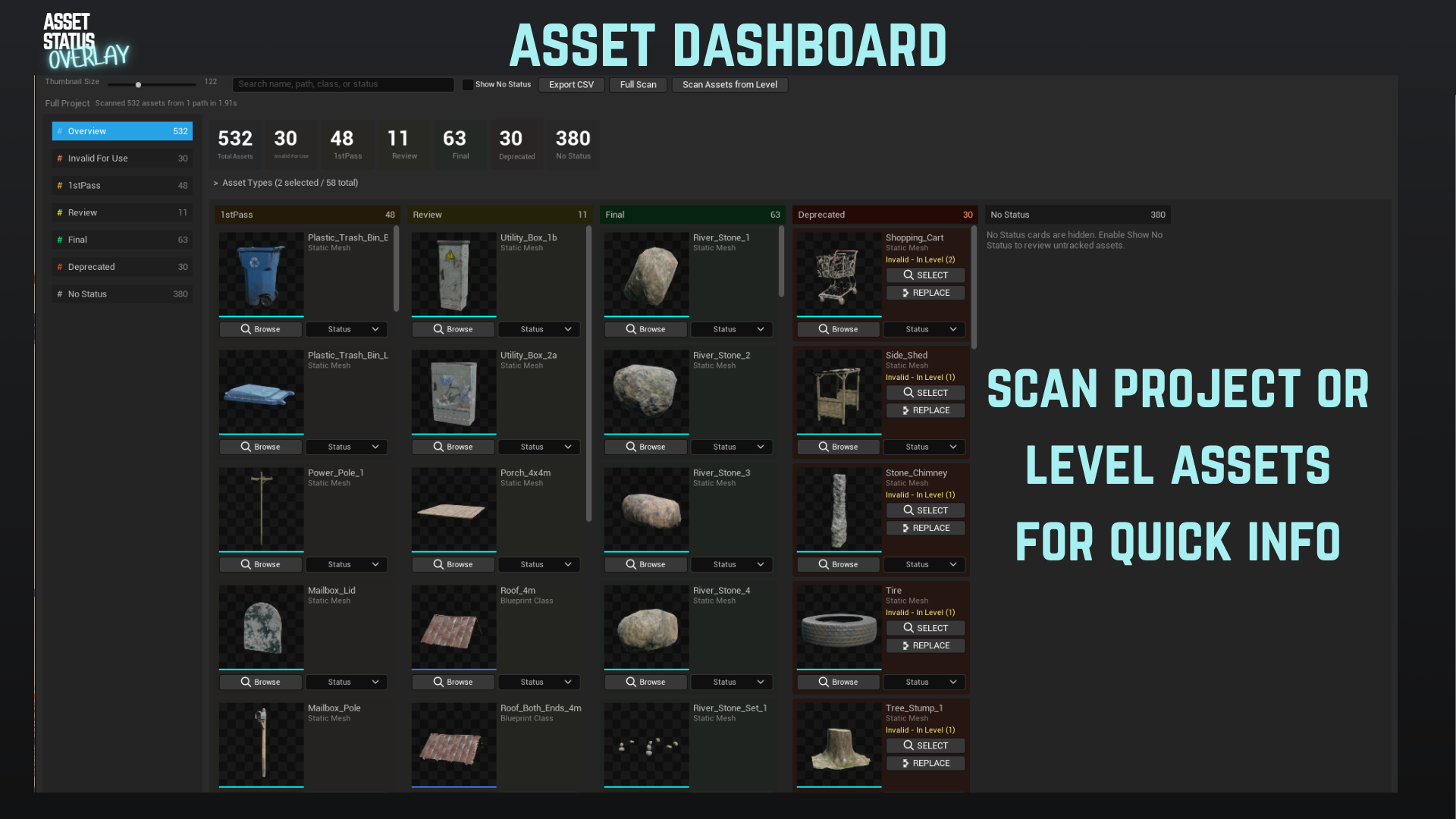
The dashboard gives a project-level overview of status coverage.
https://vimeo.com/1195040491?share=copy&fl=sv&fe=ci
- Full project scan
- Scan only assets used in the current level
- Status counts
- Search
- Asset type filters
- Show or hide untagged assets
- Cached scan results
- CSV export
- Drag-and-drop status changes
- Filtered status views
- Current-level invalid asset highlighting
The current-level scan is explicit, so opening or switching levels does not automatically trigger a heavy dashboard rebuild. If the dashboard was showing a previous level, it asks you to scan the new level or switch back to the full project view.
Configuration
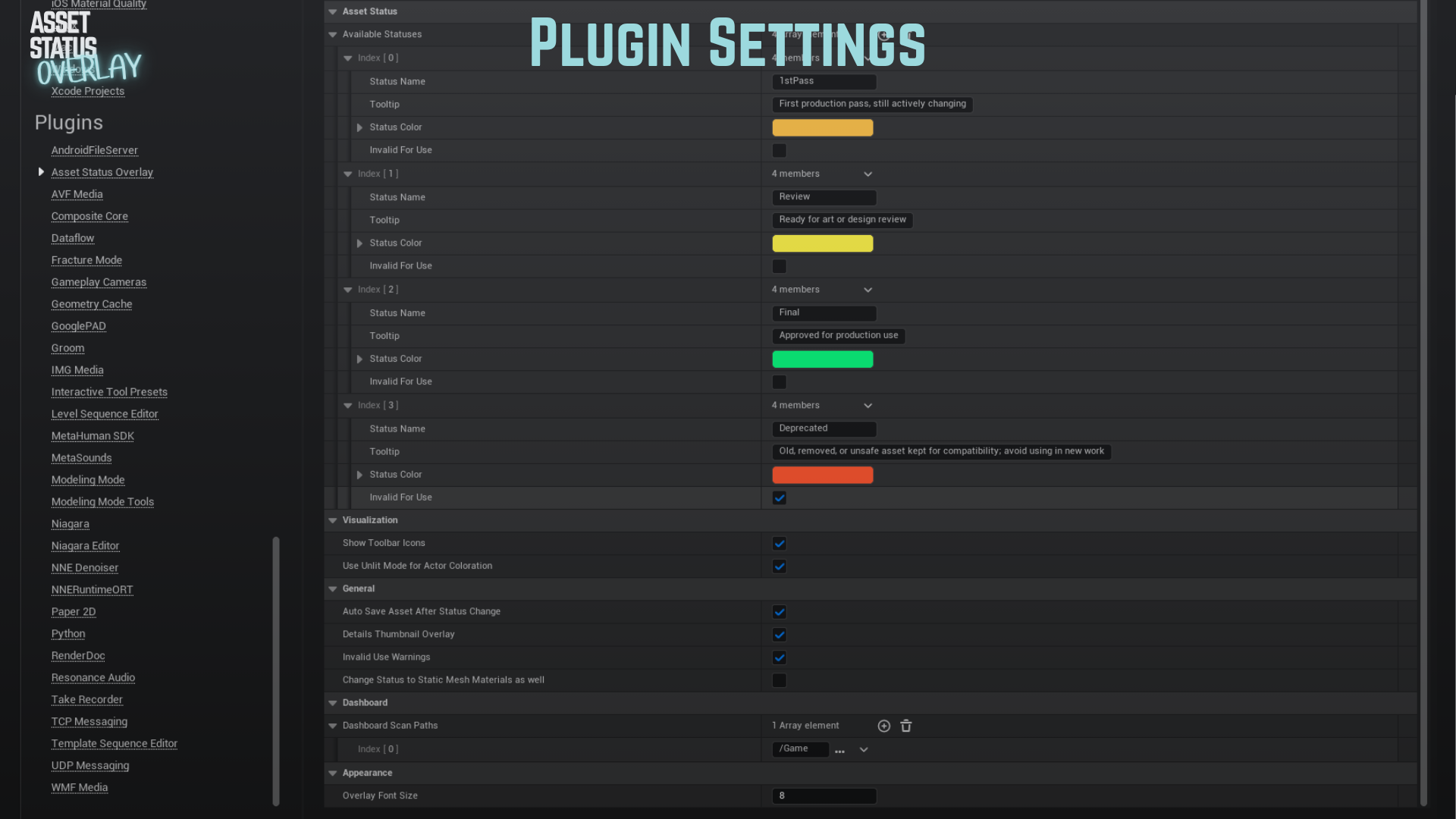
Project Settings > Asset Status Overlay
 In-Depth video
https://vimeo.com/1195044373?share=copy&fl=sv&fe=ci
You can configure:
- Available statuses
- Status colors
- Status tooltips
- Invalid For Use flags
- Overlay font size
- Details thumbnail overlays
- Invalid-use warnings
- Dashboard scan paths
- Auto-save behavior
- Lit or Unlit viewport visualization
Tips and Best Practices
- Establish consistent status naming conventions before rolling out to a team.
- Use distinct colors for different status levels.
- Mark deprecated, unsafe, or approval-sensitive statuses as Invalid For Use.
- Limit dashboard scan paths for large projects.
- Use current-level scan when reviewing a specific map.
- Refresh thumbnails by changing folders or switching Content Browser view mode if Unreal has not redrawn them yet. (no longer applicable since version 4.0 of the plugin)
- Depending on your pipeline you can either go L0, L1, L2 , CUT or Test, In Review, Final, Deprecated/Cut (or whatever works for your team)
Technical Details
- Status is stored as the
AssetStatusmetadata tag. - Invalid For Use is configured on the status, not stored as a separate asset tag.
- No additional database is required.
- Status removal is handled by deleting the metadata tag.
- Invalid-use suppressions are stored per user in editor settings, not in the project.
- Dashboard scans can be limited to configured project paths. (and should be to avoid big scans)
Requirements
- Unreal Engine 5.6, 5.7 or 5.8
- Editor-only plugin
- Supported target platforms: Windows, Mac, Linux
- Editor Scripting Utilities plugin auto enabled
Download
Get it here: FAB
I also want to thank Marteen Hof for allowing me to use his amazing rural cabin environment to showcase my plugin in an environment closer to production than empty levels.
Patch notes / version history
Current Version: 4.0
- Added dashboard / kanban board with status counts, search, type filters, cached scans, CSV export, and drag-and-drop status changes.
- Added current-level asset scan for the dashboard.
- Added Invalid For Use status support.
- Added optional Invalid For Use warning popups when unsafe assets are placed.
- Added per-asset and per-level invalid-use suppression.
- Added dashboard highlighting for Invalid For Use assets present in the current level.
- Added dashboard actions to select or replace actors using invalid assets.
- Added Details panel thumbnail overlay support.
- Added configurable dashboard scan paths.
- Improved mesh and material status visualization.
- Added compatibility for older settings names.
- Added welcome screen and onboarding information.
- Bug fixing and performance improvements. (You no longer have to swap folders for thumbnail refresh…finally)
Version: 3.0
- Bug fixing and optimization.
- Added status change feature in the level context menu.
- Material Status Visualizer shows an average of all status colors when more than one tagged material is on a mesh.
- Added Lit / Unlit mode option for the visualizer.
- Added Auto Save setting for status changes.
- Changing font size now lets you know you need to restart the engine.
Version: 2.0
- Bug fixing and optimization.
- Added viewport overlay debug.
Version: 1.0
- Initial release.
- Core status overlay functionality.
- Status removal capability.
- Customizable statuses and appearance.
- Content Browser integration.
- Configurable font size.